Showing posts with label Web callback. Show all posts

Wednesday, January 18, 2012

Call any phone in the world up to 30mins- Free $0.5 trial - voxofone

It is very easy to get the free $0.5 trial, you can call any phone in the world, just one step and you can get it, no need to verify anything, no payment obligation. You can use in on web call back, access number call or voip mobile call by download their free apps, very easy to use. 


Step 1. Go to voxofon and click "Get Started" to sign in with your phones (no need to verify anything)


Step 2. Then hit "That's it! Sign Up!"
and an page with "Profile Created" opened. 


Step 3. Now go to your email box, there are account info, how to use and USD0.5 for you.  How many minutes for this USD0.5 ? click here to see


How to call?


There are 3 ways to make a call: 
1. Dial access number and forward call to your loved ones
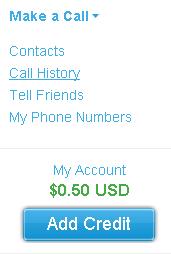
Click on the "Contacts" at the right menu, and add an international contact at Voxofon.com. For each contact you get a unique local number. To call the contact, just dial this number from any of your phones. The local number is permanent.


2. Web Phone Call Bcak
Call directly from Voxofon.com web Phone Call Back– just enter the number you wish to call.  Click "Make a Call" => "Call To" is for calling your loved ones =>"Receive Call at" choose your registered phone or the added phones. 


The "Computer" button above which is for direct web to phone calls and the Text/SMS are unavailable for free account


3. Download the mobile voip apps and make free calls
Have a smartphone? Download the FREE Voxofon app for your Android, iPhone, BlackBerry, Windows Phone 7, or HP webOS at your app store / marketplace or by visiting Voxofon.com/smartphones


If you need to show CallerID, set it up here as below image:


    More Free Calls? 
    Just enter your email address and Subscribe:


    Delivered by FeedBurner
    =


    [Tip]
    You can use the USA access number to activate Google voice by your own mobile phone.


    Thursday, January 12, 2012

    [PPoutlet-smart phone card] Free $2 international call, access number or iPhone app calls

    Today I received an email from PPoutlet.com (smart phone card, smart pinless):
    Try the new updated Iphone app and Get $5 free just for trying it !
    Dial directly from your contact list through the 'Smart Pinless' App
    Refer a friend and Get $5 free, once your friend opens a new account and recharges have them give us your phone number and we will automatically add $5 bonus


    When I go to its page, it shows 2$ for free trials, is it 5$ or 2$ by iPhone App? So confusing. 


    However, half year ago, I did register at www.ppoutlet.com, and they gave me 2$ free call trials by calling the access number by my registered phone, at that time, I used google voice to registered it, the voice is very good. I still have $1 left at my accout, now they have call back services also. You can have free account with $2 also if you don't have the iPhone. 


    I am not sure if the iPhone app for callback or direct mobile voip calls for I have no iPhone, but I guess it is direct call, if any one interested in it, please have a try to see if they offers $5 or $2 for iPhone app trial, and let me know, thanks.


    =================================Recommended===============================
    More New Free Calls? 
    Just enter your email address and Subscribe:
    Delivered by FeedBurner
    You can also make free international call at our webphone click here


    Any question, please leave your message below or go to our forum to ask, we will reply all and try our best to help you out. 


    Monday, January 9, 2012

    How to use PBXes (3) Classical extension: web call back

    In the last 2 posts below, we've know how to use the SIP extensions and SIP trunk in PBXes for incoming and outgoing calls, today we continue more about Classical extensions. What can classical extension do? It can be added PSTN (Landline and mobile number) or SKypeID. Today we are going to talk about how to add PSTN and have it work for web callback.

    1. How to use PBXes (1): Add a SIP extension and use it for outgoing calls and incoming calls and,
    2. How to use PBXes (2) SIP trunk for outgoing calls


    Here are the steps:
    Step 1. Click Extensions=>Add Extension=>Classical 
    Step 2. Add your PSTN (landline number or Phone number)


    Extension Number: 8002   (you can choose any 3 or 4 digits)
    Display Name: PSTN        (can leave blank or can add any wordings)
    URL: freecallguider-8002  (username-8002)

    (fox example your phone number is 001-800-3733-411) then,
    PSTN Number: 990018003733411 (prefix 99 here is to use SIP trunk Nymgo1 to call out as we set here: )
    Then click Submit and click the red highlight


    Step 3. Web callback PSTN to PSTN
    Now open http://pbxes.org/freecallguider-80012 , enter the number you want to calls, for example
    My mobile phone number is 001-800-373-3411
    and I want to call 0086-133800138000, then I open http://pbxes.org/freecallguider-8002 , enter 88008613800138000, and click call
    (prefix 88 is for Nymgo2 to call out, because Prefix 99 has been used in 001-800-373-3411 by Nymgo1)


    Then my moible phone numbe will ring, I pick it up,
    Then the phone 0086-133800138000 I call will ring, when it was picked up, we both can talk happily.

     
    =================================handsome cut line============================
    More New Free Calls? 
    Just enter your email address and Subscribe:
    Delivered by FeedBurner
    You can also make free international call at our webphone click here

    Any question, please leave your message below or go to our forum to ask, we will reply all and try our best to help you out. 


    Sunday, January 1, 2012

    How to get and use your google voice (GV)

    Google voice has been offered unlimited free calls and SMS to USA and Canada (Landline and mobile) for a very very long time, google voice gives a USA virtual number to receive SMS and incoming calls worldwide, just amazing, how powerful google is!
    ================

    As you know, there are many Free Calls offered access number to call the world, you can go to sidebar of our homepage => find the ACCESS NUMBER FREE CALL => click on "access numbers direct calls" and you will see some of them. Of course,  you can call your local access number, but you may need to pay for the local calls, however, if you call the USA access number by using Google Voice (GV), you don't need to pay a penny, that's totally free. And when prompt, the access number will forward your calls Free or asked you to dial the number you want to call Free.


    If you still don't have a google voice (GV), get one now! Here are the steps to get your google voice:
    Step 1. Tools
    • USA  VPN -shows USA IP so as to apply for the google voice ( click here to get the USA VPN Hotspot Shield FREE, download Free Version and install it, and let it run automatically until the State show: Connected as below, that means you are using USA VPN now)                           (google voice is opened to USA and some of the Europe Countries, if you are not within these Countries, then you need to have a USA VPN to get the google voice) How to check if your in these Countries or not? Just open www.google.com/voice and login in with your gmail account, if you can login then you can apply one, if it shows google voice is not opened to your Country, then you need to get a USA VPN to have one)
    • Whistle Phone -the USA virtual phone number, to activate google voice (click here to get one) 
    • gmail - apply for a gmail and choose USA or United States as your Country when register, this enable to use Google Voice in your gamil box, http://www.gmail.com/, gmail is to login google voice, you can use another email like yahoo email to apply for google voice, but it is advised to use gmail, more easy to handle. 

    Step 2. When all of the Tools above are ready then, 
         =>1. Open your whistle phone =>
         =>2. mare sure USA VPN is in use  => 
         =>3. login to google voice with your gamil account =>
         =>4. Click on I want a new number=>
         =>5. enter a USA zip code and click on search to choose one google voice number=> (if you don't know any USA zip code, search it on google.com)
         =>6. Enter your whistle phone number and click verify =>
         =>7. Then your whistle phone rings, pick it up, and enter the 2 digits on the screen to active your google voice, if failed, try more times, or click verify again and enter the 2 digits until success.  


    Step 3. Now you can see your google voice number at the down left corner. 


    Step 4.Click on options (at the up right corner which look like a gear) 
    => click on Phones, then check the box of Google Chat, this enable you to receive incoming calls on your gmail box. 
    => Click on "Voicemail & text" and check all the boxes, then click on Save Changes
    => Click on "Calls", choose "off" at the Call Screening, and the "save changes".


    Step 4.. Now everything has been set up. You may ask: then how to use the google voice number? It is a good question, here they are:


    1. FREE Web Call back: Free Calling out - unlimited free calls to USA / Canada cell or landline. 
    Start calling on google voice page, click on Call at the up left, enther the Number to call, and choose your whistle phone as "Phone to call with", when you click on "Connect", your whistle phone will ring, pick it up, and wait until the "Number to call" to pick up, then you can start talking...
    (note: if you don't want to use whistle phone, you can choose "Google Talk", in this way your gmail box webphone will ring, but remember to set up the webphone first at step 2 below)


    2. Free Webphone to Phone call: The other way is to call out from your gmail box, open the USA VPN and login your gmail, then you will see the "call phone" button in Green (it can be on the left or on the right), click it and install the google talk plug in, after that, refresh your gmail or close your browser and login your gamil again, then click the call button again, and you will see a webphone as below, you can make call to USA / CA free.


    3. Free incoming calls, you can receive incoming calls at your gamil box on the webphone above, but please much sure, "Google Chat" is check at your google voice "Phones".  Whistle phone also rings if you have it on. (uncheck an box of the "whistle phone" or "Google Chat" at the "Phones" of google voice page if you don't want any or them to receive incoming calls)


    4. Send and receive SMS FREE, you can send SMS on your google voice page by click the TEXT button (some can send on gmail) 


    You can also check the incoming SMS on "Inbox" of the google voice page, or in your gmail. 


    Ok now, here are the basic skills of how to use google voice for calls and SMS, more skills will be added in my blog later. Subscribe your email here and we will keep you posted: 
    ============
    Enter your email address:


    Delivered by FeedBurner
    ============ 


    Tuesday, December 20, 2011

    5 minutes free international call by Vopium

    There are so many free 5minutes international call trials, Vopium is one of them, many people don't care this free 5minutes, however, it will help a lot before you choose or top-up for one. 


    A tip for you is that if you know how to use tropo, you will find the 5minutes free international trial calls is very helpful for you. You can use it to call from you skype to make free international calls.


    Vopium is for Cheap International calls on your mobile phone
    The recent price hike of international mobile rates has encouraged telecom users to shift towards Cheap International Calls with mobile VoIP, a move that is highly cost effective and reliable at the same time. Among the recent VoIP services, Vopium has emerged as a strong player in the market offering cheap international calls to all major countries such as Japan, India, Pakistan, Bangladesh, Australia, Italy, Germany, UK, USA and more. Vopium is a free downloadable app which enables users to dial cheap international phone calls from all popular mobile platforms such as iPhone, Android, Java, Blackberry, Symbian and Windows mobile. In addition to this, the service also offers easily affordable and country specific calling plans for international calls. The advantage of making unlimited cheap international call anywhere on the go definitely makes Vopium a preferred choice for everyone.


    • Free Minutes: 5
    • Availability: Wordwide
    • Activated by: By pick up the phone and press 1,  and also verify email;
    • Ways to Call: call assess number in your Country, pc client(download here), android app, iphone app, blackberry app and Nokie app, and also web-callback.
    • Quality: good
    • Rate: Reasonable
    • Valid: 1 month(5mins trials)


    Saturday, December 17, 2011

    Free $0.5 web call back by youcall (goober)

    Today one of my friends as me to get $2 coupon for him on YouCall at facebook, I got that for him, his YouCall account has been a old one valued customer.


    I got a free moments so opened one new account on youcall to have a try, this youcall is an old web phone, powered by goober, today I got a free account and was offered $0.5 for call back on web. Very easy to use:
    1.  Open www.youcall.com and sign up for a free account by click "register" on the top-left menu;


    2.  Activate your account please click the link sent to your email;


    3.  Login your account and click call on the top-right menu


    4. Choose your Country and enter the phone number of yours and the one you want to call, then click call. 


    5. If you are using your phone number at youcall at the first time, you need to pick up your phone first to entered the activate number showing on the web page when you initial a call. (no need to do this step again after activation) (this step is for prevent the abuse using, I guess, I support it because everybody needs to earn to live)


    6. After step 5, go back to call again on web page, and then your phone will ring, pick up your phone and the one you call will ring, now enjoy talking. 


    Last but now least, you can also try www3.goober.com to make free call online. 


    Thursday, December 15, 2011

    Free $0.5 international call trial by e1tele.com, sip call, call back, SMS

    Today, I spent quite a few hours to research how to use e1tele.com and found out that it was a wonderful services, especially free calls to skype and others IM.  If you are using SIP mobile voip, PC clients or Voip device to make voip calls, then try e1tele.com is a good idea. 
    Here is the main points of it:
    • Free Minutes: $0.5, check rates here to see how many minutes you can get;
    • Availability: worldwide
    • Activated by: SMS code and email;
    • Ways to Call: sip call direct call, web call back, access number call back, Dial international number without  "+" or "00" prefix, such as call USA, just call 18003733411 (not dial +18003733411 or 0018003733411)
    • Quality: good
    • Rate: Reasonable
    • Others free: Free SMS with $0.5, Free call to Skype, ICQ, Gtalk, MSN and Yahoo by using SIP account
    Here is how to: 
      1. Open http://e1tele.com/ and sign up and you will get a activate link at your email

      2. Activate your account by click the link at your email

      3. Enter you mobile phone number (without "+" or "00" prefix) and get the SMS code for the $0.5 bonus. 

      4. Enter the SMS code and you will receive $0.5 in your account
      All Done Now! get ready to call by below:

      1. Direct call:
      Login e1tele with you registered email and password, and you will see your SIP number as below:

      the number 99922073767 is the sip number, and the sip accounts info is:
      sip account: 99922073767 
      password: your login passsword to e1tele.com
      sip server/Domain: sip.web3tel.com

      Now, you can make SIP call by using the SIP accounts info to login your voip device or SIP clients such as eyebeam / X-lite.
      Dial international number without  "+" or "00" prefix, such as call USA, just call 18003733411 (not dial +18003733411 or 0018003733411)

      2. Call back
      You can also make call back calls in the any of the following ways
      • Call from your mobile phone by opening http://m.e1tele.com (set up your phone number first after login, you can set up any phone number to receive calls)
      • Use your registered phone to call
      + 7 905 58 75 905
      + 1 64 74 774 162

      Call request can be done by calling to one of these callback numbers. After call accepting (without actual connection) system will call back and allows customer to enter any destination through DTMF dialling.
      • Others call on e1tele.com web by click "Make Call" on the top-right (but please remember to set up your phones first instead of the 999number)


      3. SMS
      Send SMS with $0.5 online

      4. Free Unlimited Calls to IMs
      Free unlimited call to Skype, ICQ, Gtalk, MSN and Yahoo by using SIP clients with e1tele SIP account. Click here to see how to make free calls.

      Tuesday, December 13, 2011

      Free Call and SMS | by hoiio.com, 0.3USD free trial, Web callback and iphone, android and blackberry free calls

      Sign up Hoiio and you will get 0.3USD for free international call trials, you can make free calls on web call back, android app, iphone app and blackberry app. The callerID shows your own one(s).

      How?


      1. Click here to sign up
      2. Fill in your phone number to receive SMS code, and verity your number.
      3. Then Enter simple details such as password and email etc.
      4. Verify your email by click the "Verify Now" link sent to your email.
      5. Click Call button on the left menu to make call now (call back, show callerID). Very quick. 
      6. You can send SMS online also, very quick.


      Have fun!


      [note]:
      Please quote our direct link if you want to copy this blog to your pages.